

Do 12v CCTV monitors support multiple camera inputs?
May 28, 2025
Leave a message
As a supplier of 12V CCTV monitors, one of the most frequently asked questions I encounter is whether these monitors support multiple camera inputs. This question is crucial for many customers, especially those looking to set up comprehensive surveillance systems. In this blog post, I'll delve into the details of 12V CCTV monitors and their ability to handle multiple camera feeds.
Understanding 12V CCTV Monitors
12V CCTV monitors are designed to operate on a 12 - volt power supply, which makes them energy - efficient and suitable for a variety of applications. They are commonly used in small - to - medium - sized surveillance setups, such as home security systems, small business monitoring, and even some mobile surveillance scenarios.
The power requirements of these monitors are relatively low, which is an advantage in terms of cost - effectiveness and ease of installation. For powering these monitors, a reliable power source is essential. You can check out our Power Module and 12v5a 60w DC Power Supply for LED Light options that can provide stable power to your 12V CCTV monitors.
Can 12V CCTV Monitors Support Multiple Camera Inputs?
The answer is yes, many 12V CCTV monitors do support multiple camera inputs. However, several factors need to be considered to ensure seamless operation.
Monitor Capabilities
- Video Input Types: Different 12V CCTV monitors come with various video input types, such as BNC, HDMI, VGA, and composite. The number and type of inputs determine how many cameras can be connected and the quality of the video feed. For example, a monitor with multiple BNC inputs can easily connect to multiple analog cameras, while HDMI inputs are suitable for high - definition digital cameras.
- Resolution and Processing Power: The monitor's resolution and processing power play a significant role in handling multiple camera feeds. A monitor with a higher resolution and better processing capabilities can display multiple camera images clearly without lag or pixelation. For instance, a 1080p monitor can provide a sharper image compared to a 720p monitor when showing multiple camera feeds.
Camera Compatibility
- Camera Types: Whether you are using analog or digital cameras matters. Analog cameras typically use BNC connectors and have lower resolutions compared to digital cameras. Digital cameras, on the other hand, can offer high - definition video but require compatible input ports on the monitor. It's important to ensure that the monitor's input ports match the camera's output ports.
- Camera Output Signals: Different cameras may have different output signals. Some cameras may output a standard NTSC or PAL signal, while others may have more advanced digital signals. The monitor must be able to handle these signals to display the camera images correctly.
Advantages of Using a 12V CCTV Monitor with Multiple Camera Inputs
Cost - Efficiency
- Single Monitor Solution: Instead of purchasing multiple monitors for each camera, a single 12V CCTV monitor with multiple inputs can save costs. This is especially beneficial for small - to - medium - sized surveillance setups where budget is a concern.
- Power Consumption: Since 12V monitors are energy - efficient, using a single monitor to display multiple camera feeds consumes less power compared to multiple monitors, resulting in long - term cost savings.
Convenience
- Centralized Monitoring: With a single monitor, users can easily view multiple camera feeds in one place. This allows for more efficient monitoring and quicker response to any suspicious activities.
- Easier Installation: Installing a single monitor is generally easier than installing multiple monitors. It reduces the amount of wiring and setup time, making the surveillance system installation process more straightforward.
Setting Up a 12V CCTV Monitor with Multiple Camera Inputs
Step 1: Choose the Right Monitor
- Consider the number of cameras you want to connect and the video input types required. Make sure the monitor has enough inputs and the appropriate resolution and processing power to handle the camera feeds.
Step 2: Select Compatible Cameras
- Ensure that the cameras are compatible with the monitor's input ports and can output signals that the monitor can handle.
Step 3: Connect the Cameras
- Use the appropriate cables (such as BNC, HDMI, or VGA cables) to connect the cameras to the monitor's input ports. Make sure the connections are secure.
Step 4: Configure the Monitor
- Once the cameras are connected, configure the monitor settings to display the camera feeds correctly. This may involve selecting the input source, adjusting the image quality, and setting up the display layout (such as a split - screen view).
Troubleshooting Common Issues
No Video Display
- Check Connections: Make sure all the cables are properly connected to the cameras and the monitor. Loose or faulty connections can result in no video display.
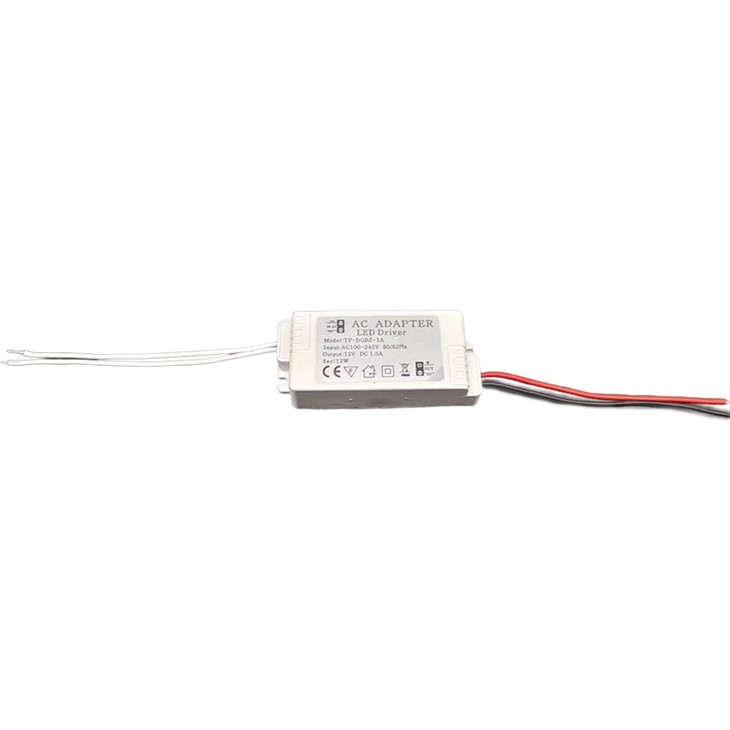
- Camera Power: Ensure that the cameras are powered on and functioning properly. You can use our LED Driver to provide stable power to the cameras.
Poor Image Quality
- Resolution Mismatch: Check if the camera's resolution and the monitor's display settings are compatible. Adjust the settings if necessary to improve the image quality.
- Signal Interference: Look for any sources of signal interference, such as nearby electrical equipment or long cable runs. Try to minimize interference by relocating the equipment or using shielded cables.
Conclusion
In conclusion, 12V CCTV monitors can indeed support multiple camera inputs, offering a cost - effective and convenient solution for surveillance systems. When choosing a monitor and cameras, it's important to consider the monitor's capabilities, camera compatibility, and follow the proper setup and troubleshooting steps.
If you are interested in setting up a surveillance system with a 12V CCTV monitor that supports multiple camera inputs, we are here to help. We offer a wide range of 12V CCTV monitors, power supplies, and related accessories. Contact us to discuss your specific requirements and get started on your surveillance project.

References
- CCTV Technology Handbook, 3rd Edition
- Surveillance System Design and Installation Guide